








Automotive electronics OEM/ODM
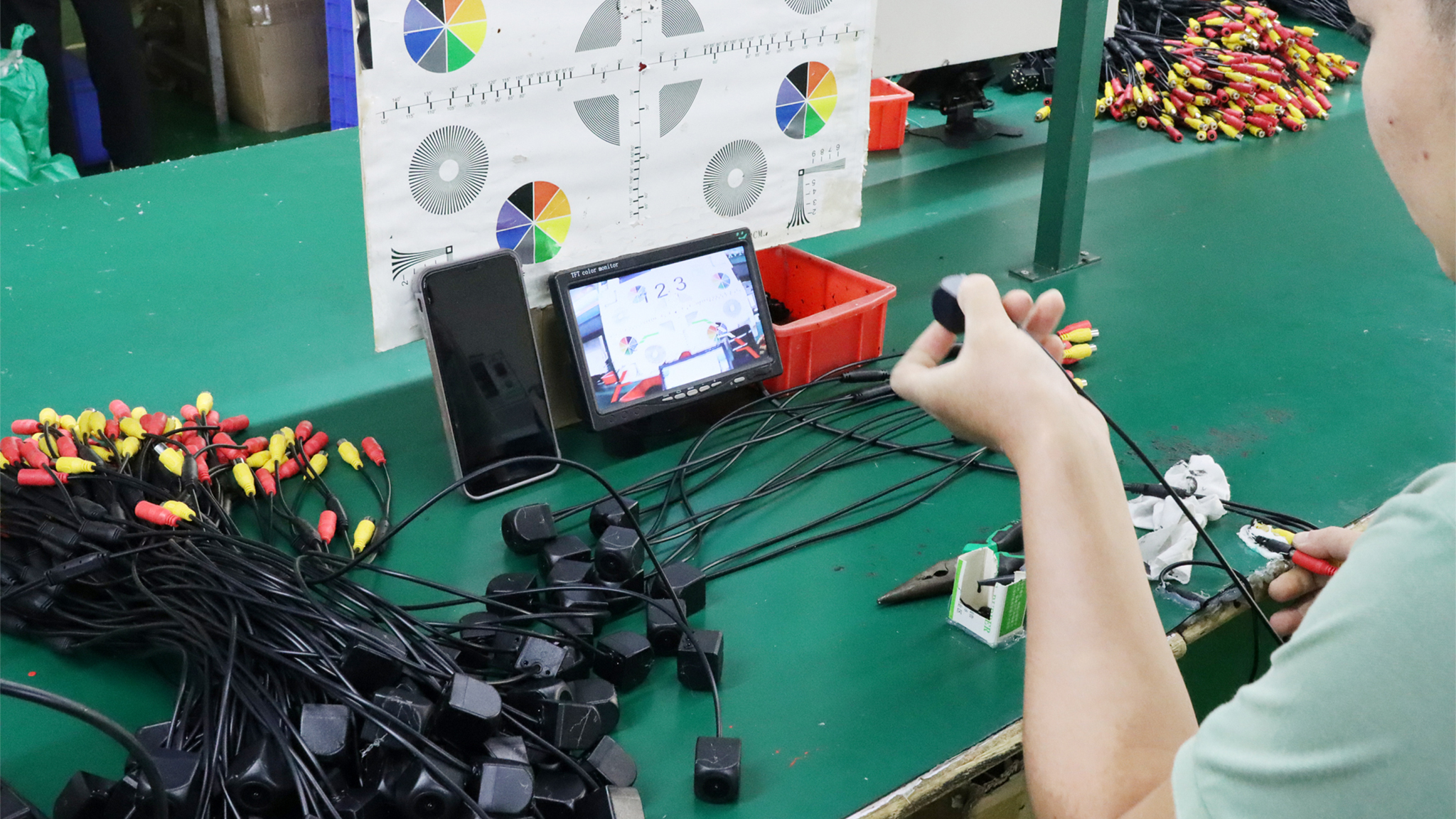
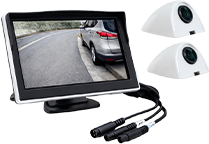
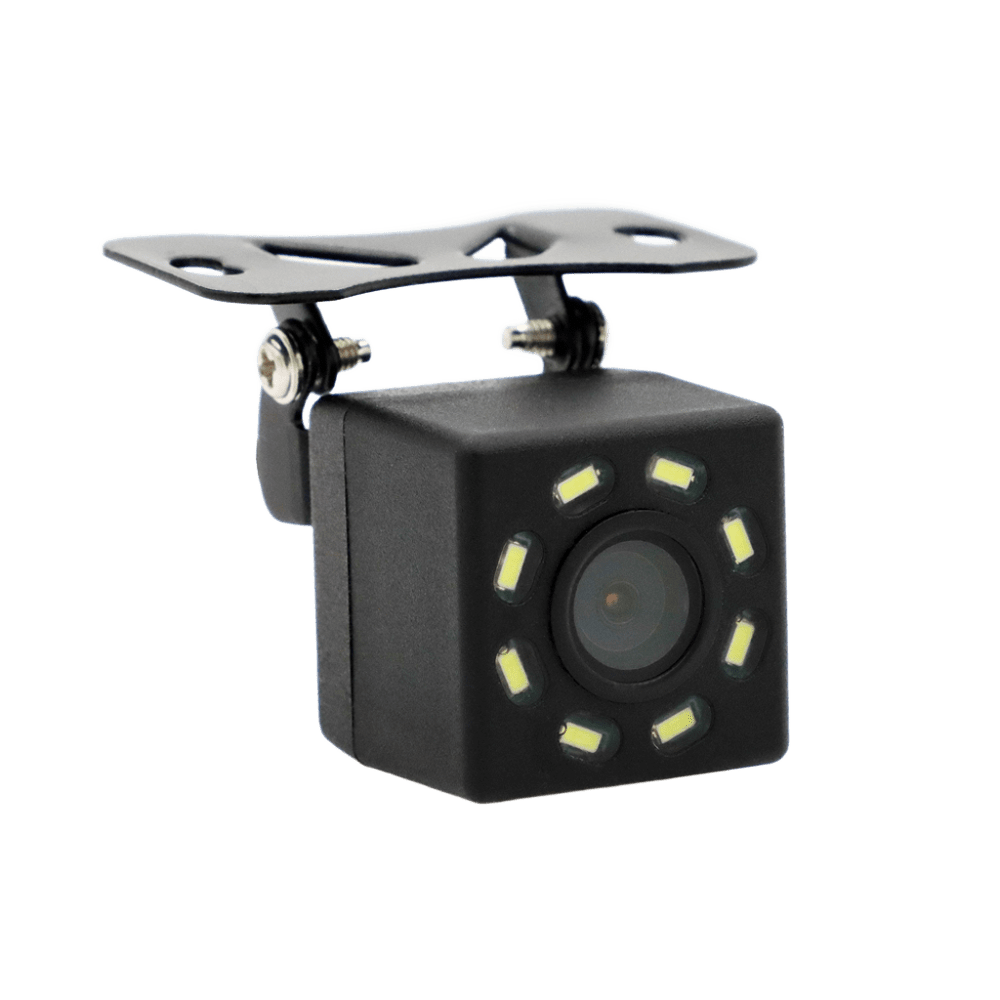
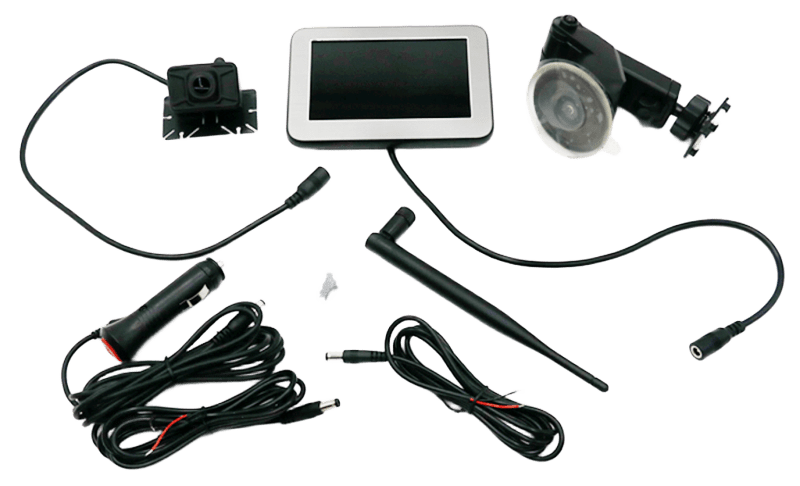
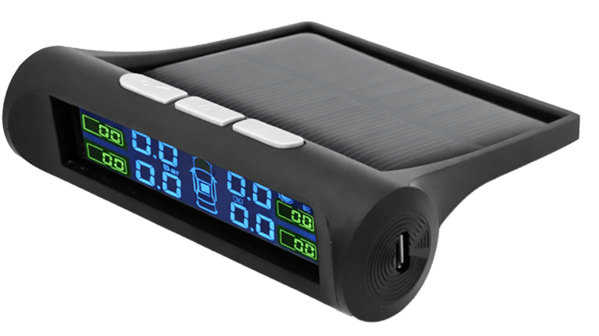
Founded in 2016, Zhuhai Sanmu Technology specializes in vehicle monitoring and automotive electronics, offering cameras, dash cams, monitors, radars and TPMS solutions.

Upgrade Your Brand with High-Quality Automotive Electronics!
sanmu
Popular Categories
Parking Sensor(Radar)
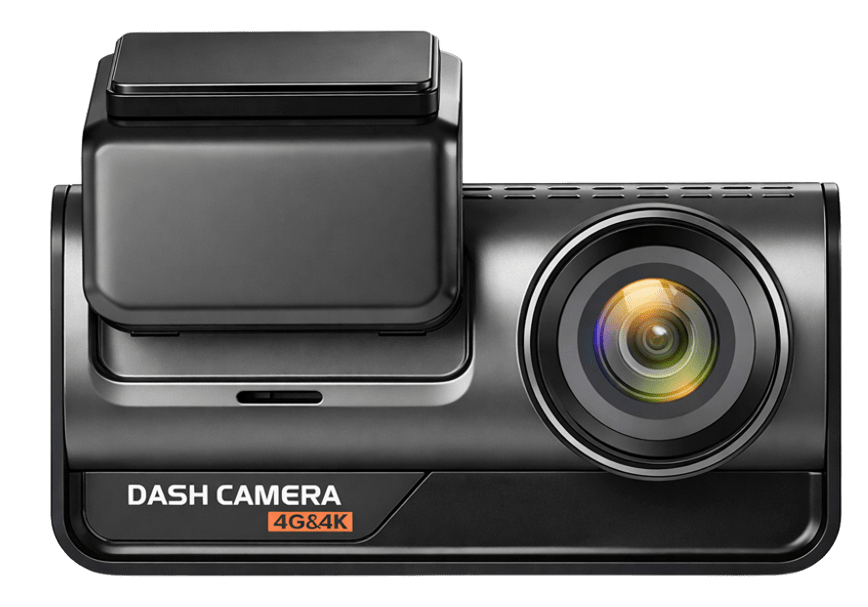
Dash Camera
Vehicle monitoring system
Car camera
Wireless monitoring system
Tire Pressure Monitoring System
Hot Selling Products
Explore Our Best-Selling Products Now!
Product Advantages
Partner Directly with a Professional Manufacturer!
sanmu
Fast Market Response

Rapid sampling (3-5 days)

Bulk delivery (5-8 days)

Rapid product upgrades based on market trends

Global Market Experience

Exported to Europe, America, Southeast Asia, Middle East, etc.Understanding of regional market preferences

International Certifications

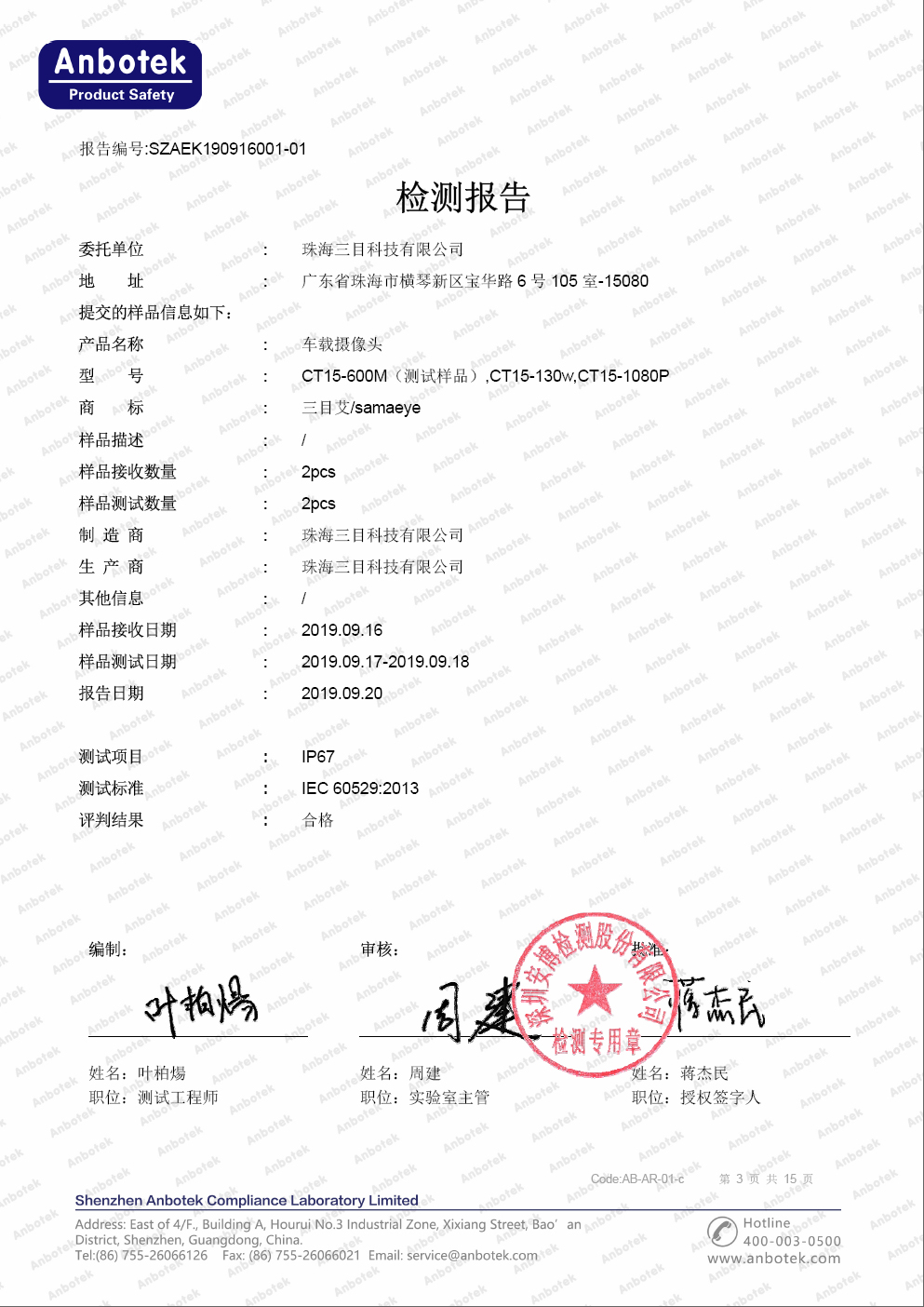
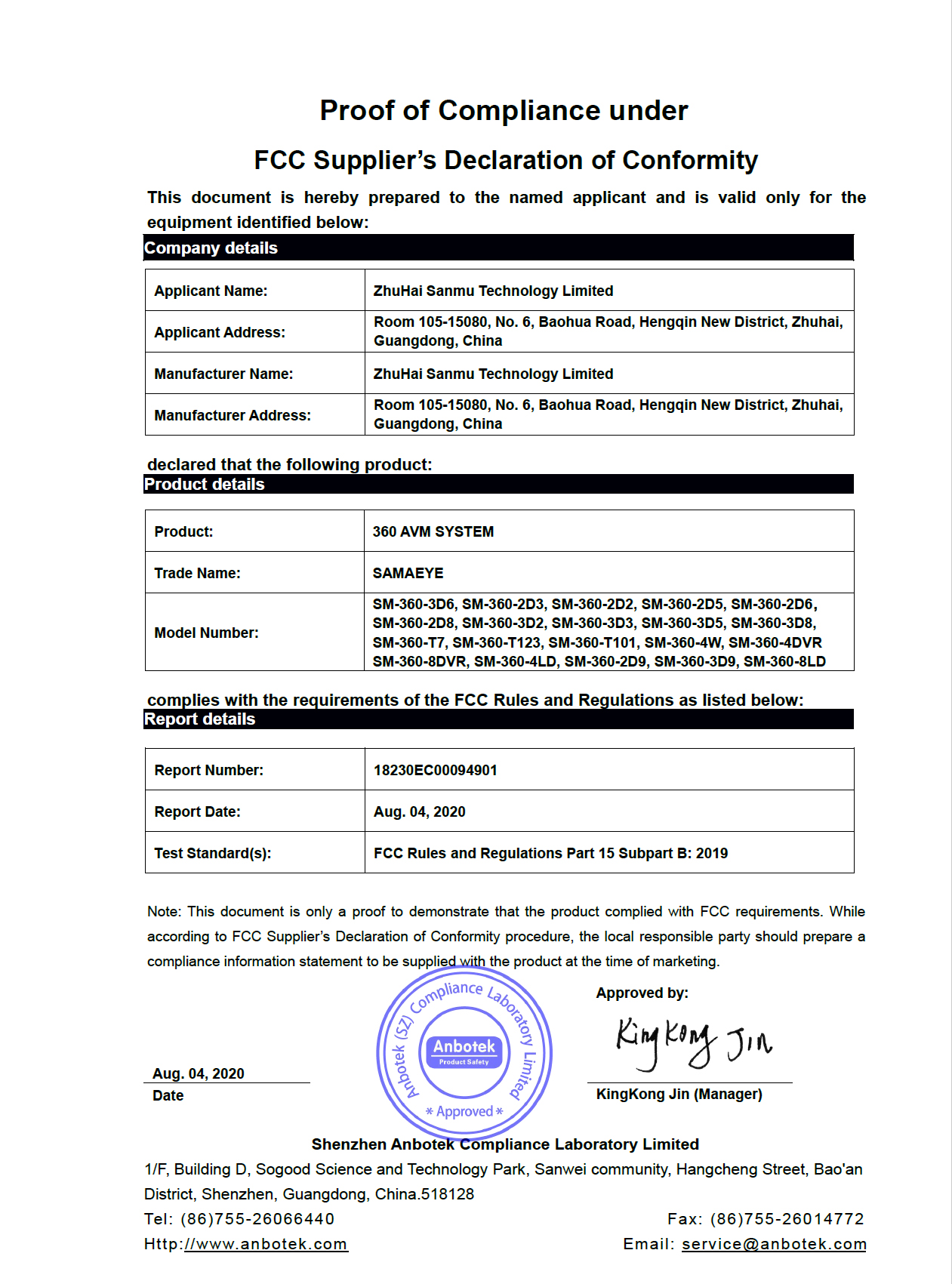
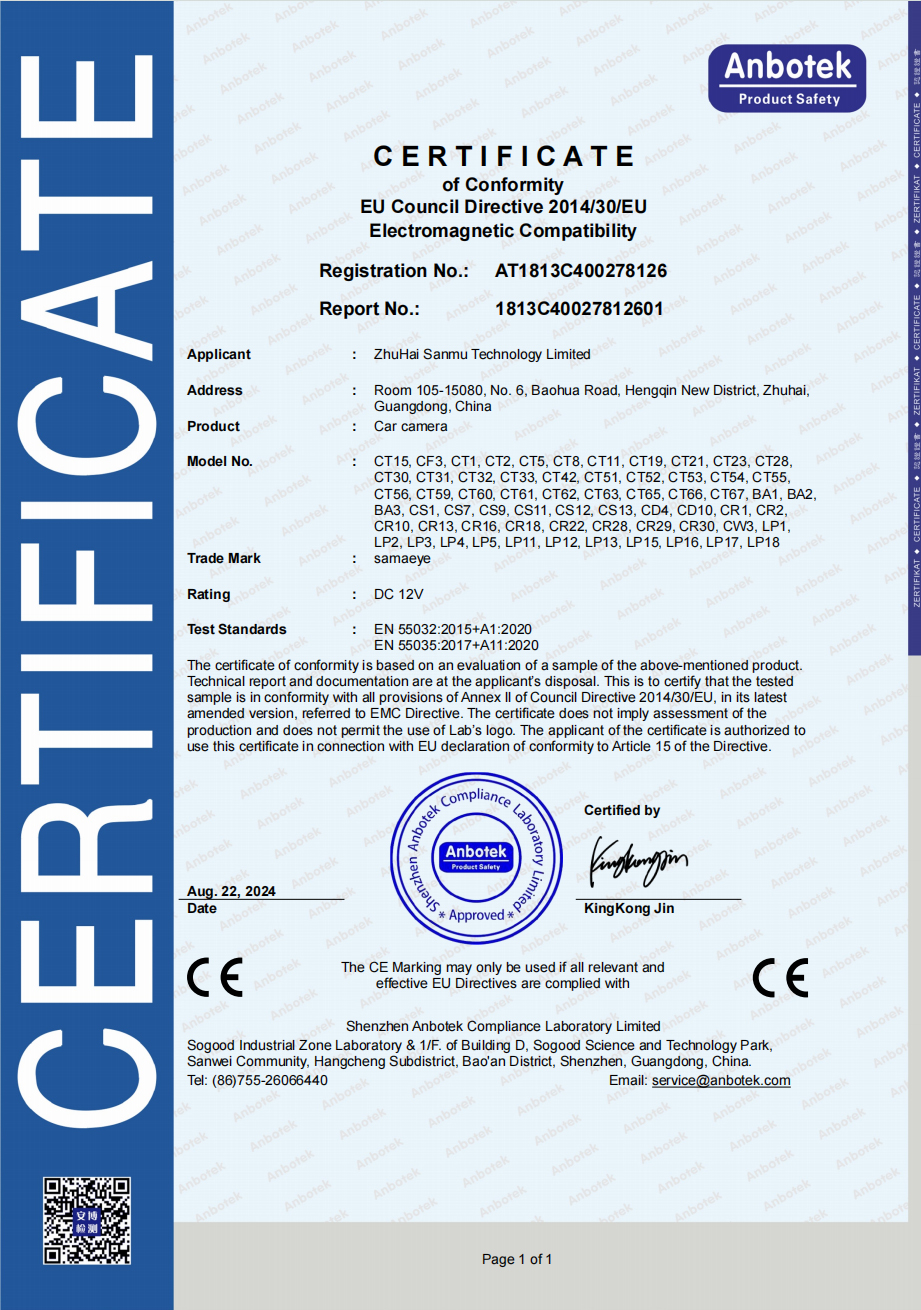
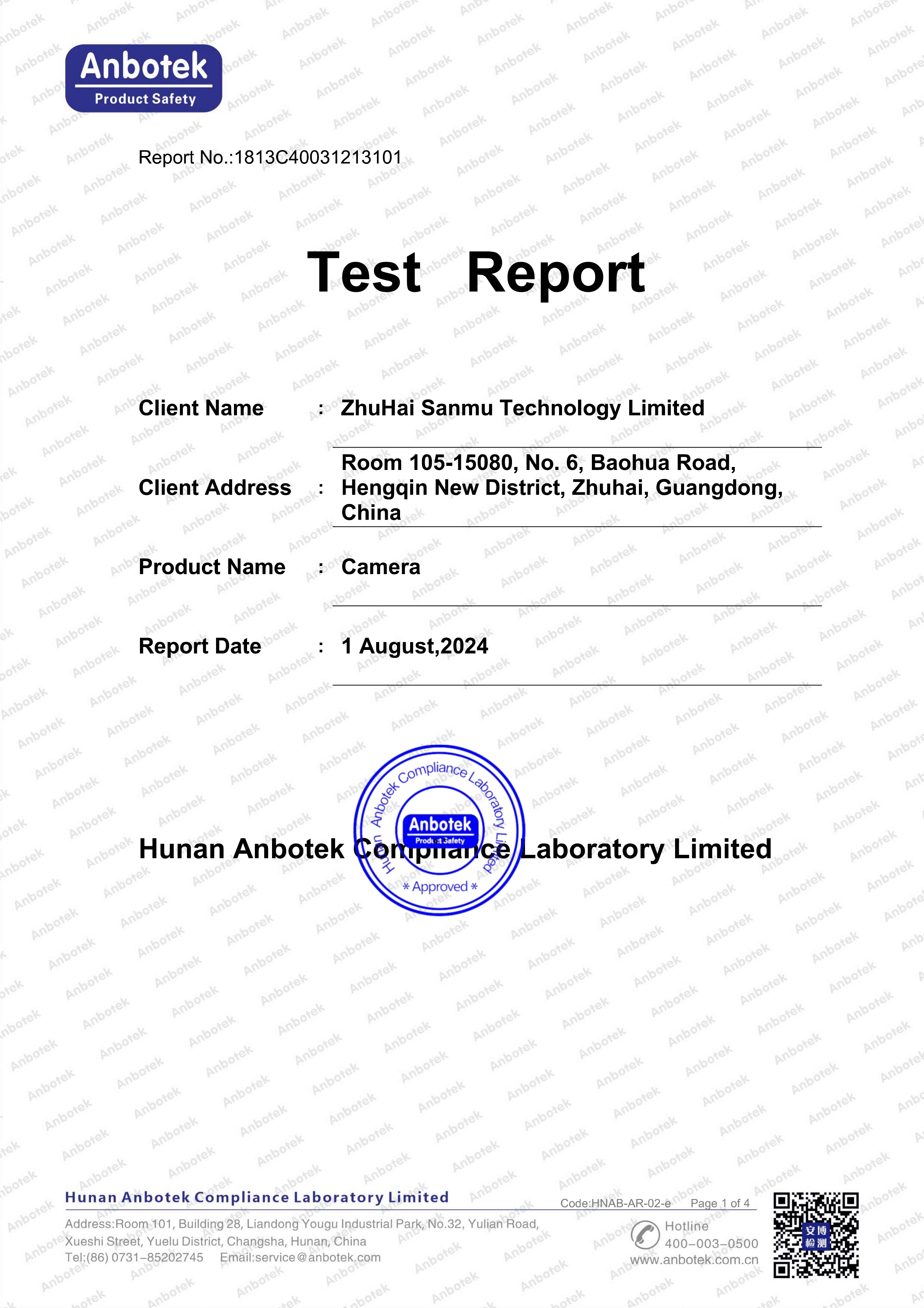
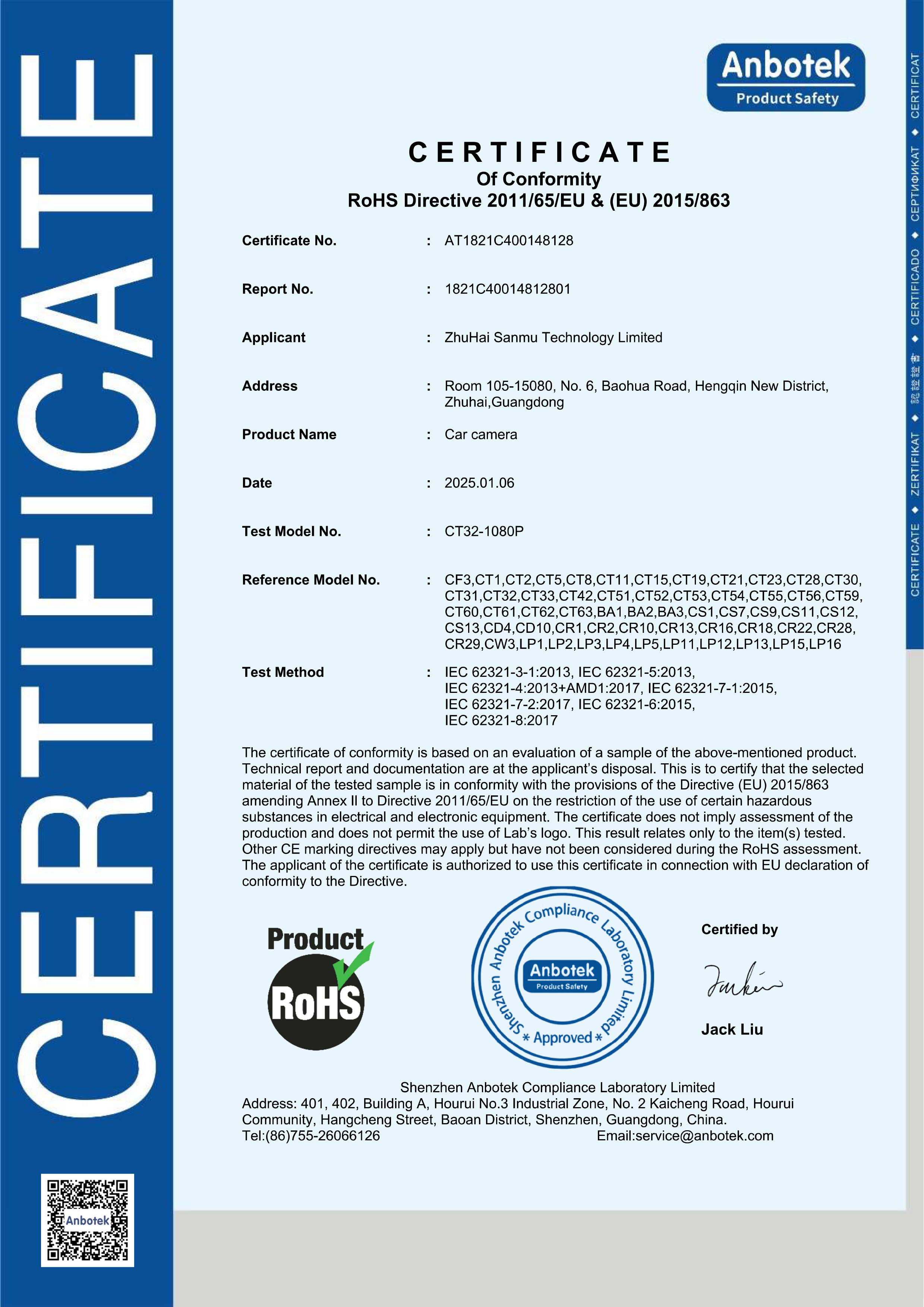
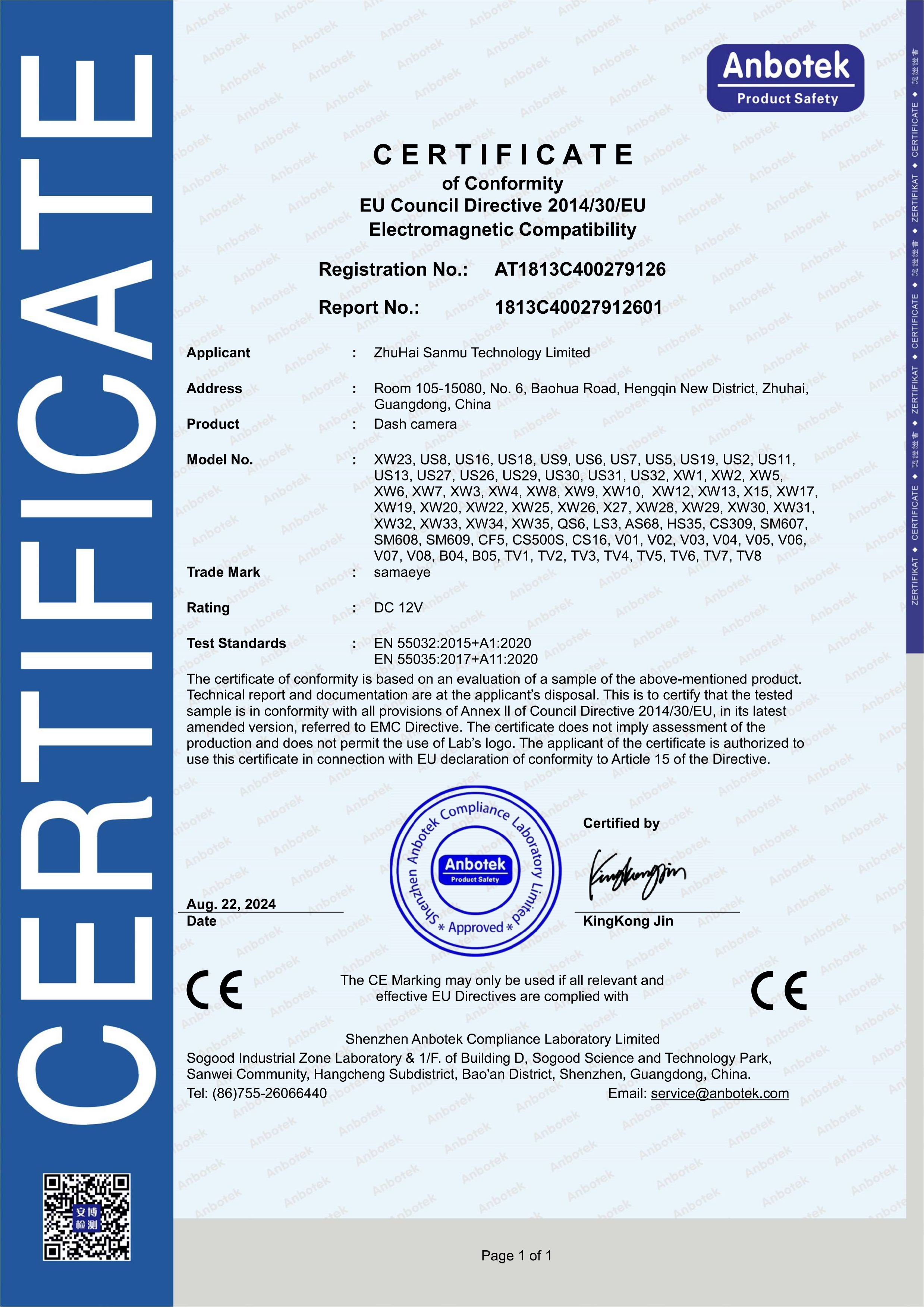
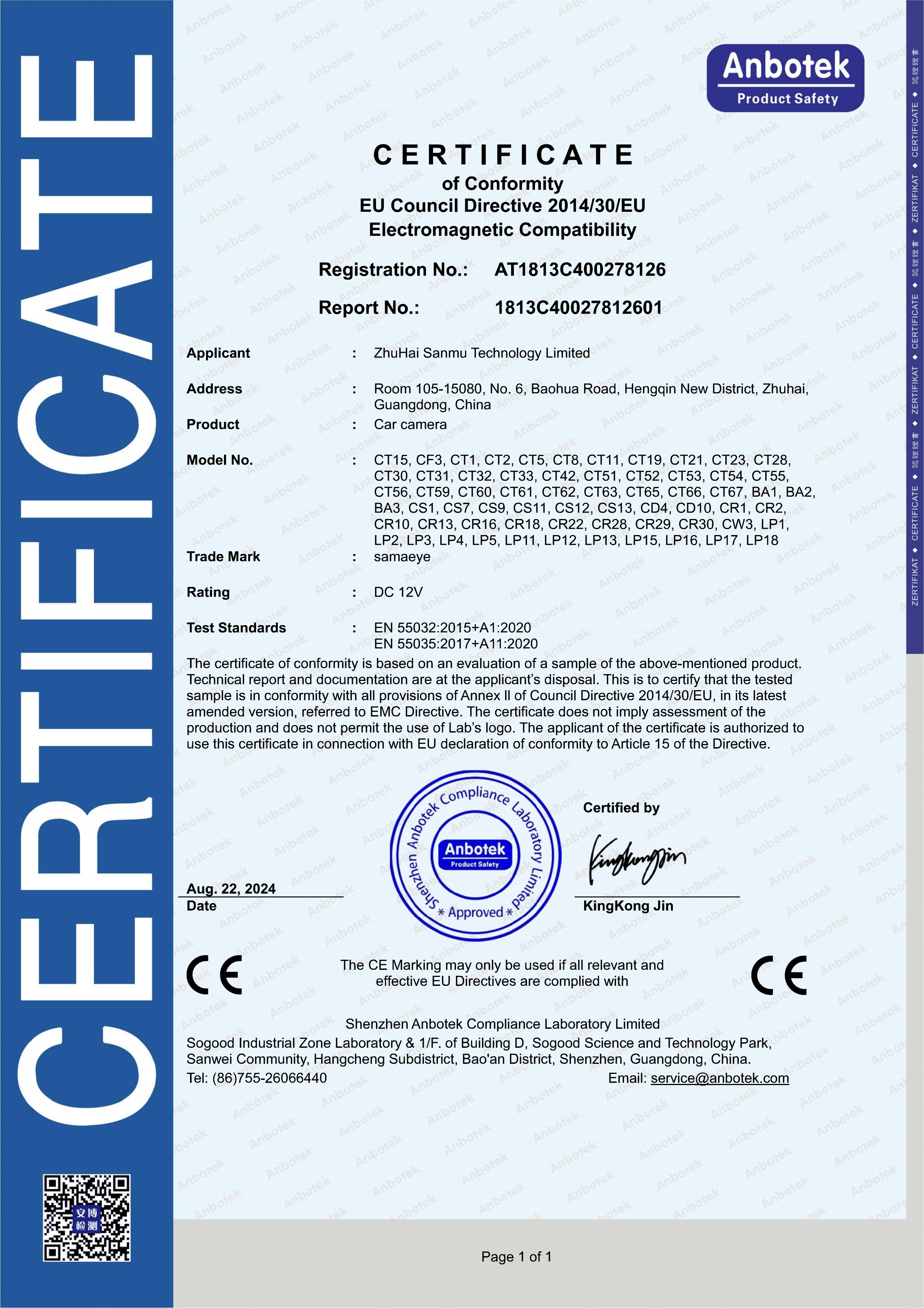
Certified by CE, FCC and RoHS, IP67/IP68 waterproof and dustproof rating.

OEM & ODM Services

Supports OEM manufacturing, ODM product development and customization, small batch orders, and fast delivery.

ZHUHAI SANMU TECHNOLOGY CO., LTD.

Founded in 2016, Zhuhai Sanmu Technology Co., Ltd. focuses on in-vehicle monitoring and automotive electronics, committed to providing global customers with high-quality, intelligent in-vehicle products and solutions. The company's core products include in-vehicle cameras, dashcams, in-vehicle displays, reversing radars, tire pressure monitoring systems, and navigation systems, widely used in various passenger vehicles and other scenarios.

Watch Video

Watch Video

按钮文本
sanmu

We prioritize quality and safety, and all our products have obtained international authoritative certifications such as CE, FCC, RoHS, IP67/IP68, and E-mark, fully meeting the stringent requirements of different markets for product compliance and environmental adaptability.

As a flexible partner, Sanmu Technology offers comprehensive OEM/ODM customization services, supports small-batch orders, responds quickly to customer needs, ensures efficient delivery, and helps customers seize market opportunities. Choose Sanmu Technology and become your trusted one-stop solution partner in the field of automotive electronics.


Certification 
Certified Quality. Reliable Partnership.
sanmu
  • IP67-waterproof
  • FCC-360-panoramic-system
  • CE---Desensitization
  • IP68
  • RoHS
  • Dashcam---CE
  • Camera---CE
Numbers Prove Strength
Each set of numbers reflects long-term dedication and professional competence built through consistent effort and strategic excellence over many years.
Years of Experience
+
Countries & Regions Served
+
Partners Worldwide
+
Standard products are shipped 24 hours a day, customized products take 3-5 days for sampling, and bulk orders take 5-10 days
Provide Professional OEM/ODM Services
One-on-one solution provided, quote in 3 minutes
Solution & Quotation
Free samples, 1 day sample turnaround
Sampling & Confirmation
Full inspection passed, logistics arranged for shipment
Quality Inspection & Shipment
Production completed in 1-3 days after sample confirmation
Mass Production
Submit your requirements online
Consultation & Discussion
Automotive Aftermarket Chains
OEM / ODM Brands
Commercial vehicle manufacturers
Wholesalers
Sanmu Technology Is Your Reliable Choice.
They Choose Us
Logistics companies
Public transport operators
Distributors
In-vehicle Infotainment Suppliers
Cross-border Sellers
Vehicle Electronics Importers
Aftermarket Retrofit Companies
Solution
Partner Directly with a Professional Manufacturer!
sanmu
Sanmu Company delivers reliable and innovative ADAS dashcam products that align perfectly with our business needs. The image quality and intelligent alert systems provide real value to our clients, helping improve road safety and compliance. We are particularly satisfied with their product consistency and after-sales service. Communication is smooth, and they are open to feedback and customization requests. Working with Sanmu has strengthened our product offering in the European market, and we are pleased with the results of this partnership.
Sophie Dubois
French
Our cooperation with Sanmu Company has been very successful. Their ADAS dashcam solutions are well-suited for large-scale fleet deployments, offering stable performance and accurate data collection. The systems handle high temperatures well, which is essential for our region. Installation is straightforward, and the user interface is intuitive for drivers and fleet managers alike. Sanmu’s professionalism and responsiveness give us confidence in long-term collaboration. We highly value their ability to adapt to our market requirements.
Ahmed Al-Farsi
UAE
Sanmu offers customized solutions for different car models, precisely adapting to the unique needs of each model.
Get clear answers and the support you need for a smoother partnership.
sanmu
Frequently 
asking questions
  • Integrating New Fleet Devices with Existing Fleet Management Software

    2026-08-08

    Integrating New Fleet Devices with Existing Fleet Management Software
    Fleets rarely start with a blank technology stack. Dispatch, telematics, maintenance, safety, identity, and reporting systems may already contain the vehicle and driver data that operations teams rely on every day. When new cameras or connected devices are introduced, the goal should be to add useful capabilities without creating duplicate workflows. This guide explains how to plan a secure, maintainable integration between new fleet technology and existing software.

    1. Define the business workflow before choosing the interface
    Successful Fleet Integration starts by identifying what users need to accomplish across systems. A fleet may want video events attached to safety cases, device health sent to maintenance teams, or vehicle records synchronized automatically. If the project originated from Fleet Bulk Orders, the integration scope should be agreed before large quantities of hardware are installed so every vehicle follows the same data model.

    Workflow mapping: document who creates, consumes, and acts on each data type.

    System of record: decide which application owns vehicle, driver, device, and user identities.

    Success criteria: define what an integrated workflow should look like for operations and IT.

    2. Choose the simplest reliable connection method
    Software Integration may use APIs, webhooks, scheduled files, middleware, or built-in connectors. The right approach depends on update frequency, data volume, security, and the capabilities of both systems. A Unified Management Platform should expose clear interfaces for device status, events, media references, configuration, or fleet metadata when those functions need to participate in external workflows.

    APIs: useful for on-demand reads, updates, and controlled application-to-application requests.

    Webhooks: useful for near-real-time notifications when events or device states change.

    Scheduled exchange: useful when batch synchronization is sufficient and simplicity is preferred.

    3. Standardize identifiers and permissions
    Integration problems often come from inconsistent vehicle IDs, driver IDs, depot names, or device assignments rather than the interface itself. Strong Device Management should maintain clean mappings between hardware and fleet assets. During a Large‑scale Deployment, those mappings should be loaded and validated in bulk so downstream systems receive consistent records from the beginning.

    Identifiers: use durable keys that do not change when a display name or route changes.

    Permissions: map users and roles according to least-privilege access principles.

    Auditability: log administrative changes and integration activity for troubleshooting.

    4. Test integration alongside installation
    Integration readiness should be part of the rollout plan, not a task deferred until all hardware is active. During On-site Installation, pilot vehicles can be used to validate data mapping, timestamps, event delivery, and user access. If the supplier provides Special Pricing as part of an enterprise package, buyers should clarify whether integration assistance, testing environments, technical documentation, or engineering support are included or priced separately.

    Pilot data: test realistic events and edge cases before production scale.

    Error handling: define retry behavior, duplicate handling, missing IDs, and failed authentication.

    Monitoring: create alerts for broken connections, delayed events, and synchronization failures.

    5. Design for long-term ownership and expansion
    A durable Fleet Solution needs documented ownership after launch. IT should know who manages credentials, version changes, and security reviews, while operations should know where to report missing data or workflow problems. For Bulk Installation, integration acceptance should be verified by deployment wave so problems are contained before the next group of vehicles is activated.

    Change management: test API or platform changes before production release.

    Support model: document escalation paths across the fleet, supplier, installer, and software vendors.

    Future scale: keep mappings, interfaces, and account structures reusable for new vehicles, sites, and device types.

    Integration takeaway
    The best integration preserves the fleet's established operating model while making new device data available where it creates value. Clear workflows, stable identifiers, secure interfaces, pilot testing, monitoring, and defined ownership create a connection that can grow with the fleet instead of becoming a fragile one-off project.【detailed】

  • On-Site Fleet Installation Support: How to Plan a Consistent Multi-Vehicle Rollout

    2026-08-09

    On-Site Fleet Installation Support: How to Plan a Consistent Multi-Vehicle Rollout
    On-site installation can remove a major bottleneck in fleet technology projects, but only when the field process is standardized. Installer availability, depot access, vehicle scheduling, hardware staging, quality assurance, and escalation procedures all affect the final result. This guide explains how fleet operators can structure professional installation support for multi-vehicle deployments while keeping vehicle downtime predictable and ensuring every installed system is commissioned correctly.

    1. Define the installation scope before technicians arrive
    Effective On-site Installation begins with a clear statement of work for each vehicle class. The fleet and supplier should agree on device locations, wiring paths, power sources, accessory requirements, expected labor time, and functional tests. When the project follows Fleet Bulk Orders, standardized hardware kits make it easier to stage the correct parts and avoid field substitutions.

    Site survey: confirm parking space, lighting, power access, security rules, and technician working hours.

    Vehicle survey: identify model-specific installation differences before the main rollout.

    Scope control: define what is included, what requires approval, and how unexpected work is handled.

    2. Match technician capacity to the fleet schedule
    Special Pricing for a large project should be reviewed together with labor assumptions, travel, site minimums, and daily installation targets. A Large‑scale Deployment is easier to manage when each site has a realistic vehicle schedule and an agreed technician-to-vehicle ratio rather than an aggressive target that creates rework or missed routes.

    Daily roster: identify specific vehicles and backup vehicles for every installation window.

    Shift alignment: work around dispatch, maintenance, charging, fueling, and driver handoffs.

    Capacity buffer: reserve time for unusual vehicles, access delays, or corrective work.

    3. Commission every device into the operating platform
    Physical installation is incomplete until the device is visible in the Unified Management Platform. Technicians or coordinators should verify connectivity, vehicle assignment, camera views, storage, GPS, and required configuration. Central Device Management allows the fleet to review new installations quickly and identify exceptions without manually inspecting every vehicle again.

    Identity check: match serial numbers and SIMs to the correct vehicle record.

    Functional test: validate power, network, sensors, video, location, and event reporting.

    Evidence: store installation photos and completion records for audit and support.

    4. Coordinate field installation with system connections
    Good Fleet Integration requires the physical and digital rollout to stay synchronized. As vehicles are commissioned, their identifiers and device status should be available to dispatch, telematics, safety, or maintenance workflows where required. Completing Software Integration in parallel helps prevent manual reconciliation after hundreds of installations are already finished.

    Data readiness: preload vehicle lists and naming conventions before the site opens.

    Interface testing: verify APIs, webhooks, exports, or other connections using pilot vehicles.

    Operational handoff: confirm who monitors data and who owns integration-related support.

    5. Treat quality assurance as part of installation
    A complete Fleet Solution should include post-installation review, not just technician completion counts. For Bulk Installation, use standard checklists and audit a sample of completed vehicles for workmanship, mounting, cable protection, camera alignment, and online status. When data must flow into existing systems, fleet systems integration should be included in final acceptance criteria.

    First-pass yield: measure how many vehicles pass without rework.

    Defect categories: separate installation, hardware, connectivity, configuration, and data issues.

    Closeout: reconcile remaining parts, spare devices, unresolved tickets, and vehicle records.

    Installation takeaway
    On-site support works best when it is managed as a controlled production process. Clear scope, prepared sites, realistic scheduling, standardized commissioning, and documented quality checks help fleets scale installation while protecting vehicle availability and creating a clean handoff to ongoing operations.【detailed】

  • Distributor Partner Training & Resources: Complete Support Guide

    2026-08-09

    What Training and Resources Do You Provide to Distribution Partners?
    Comprehensive Partner Training is a core part of an effective Distributor Program. An Authorized Dealer needs both product knowledge and practical tools to sell confidently, answer customer questions, and provide consistent service.
    1. Partner Onboarding
    Initial onboarding can explain the Channel Partnership, product portfolio, ordering procedures, communication channels, commercial processes, and available Dealer Resources. A clear onboarding process helps new partners become productive faster.
    2. Product and Technical Training
    Partner Training may cover product features, specifications, applications, selection criteria, installation considerations, troubleshooting, and common customer questions. Technical knowledge is especially important when dealers support complex purchasing decisions.
    3. Sales Training
    Sales enablement can focus on customer profiles, product positioning, application scenarios, value communication, objection handling, and opportunity qualification. These capabilities strengthen overall Partner Benefits by making supplier resources easier to apply in real sales situations.
    4. Marketing Resources
    Marketing Support can include brochures, product images, presentations, digital content, campaign materials, and exhibition resources. Consistent materials help partners communicate accurately while adapting their activities to local markets.
    5. Territory Development Resources
    Where Territory Protection or an Exclusive Territory arrangement applies, partners may also receive guidance on market planning, customer coverage, reporting, and local development priorities. Resources should align with the commitments defined in the distribution agreement.
    6. Post-Sale Service Resources
    Strong After-Sales Support can include troubleshooting guidance, warranty procedures, technical documentation, service communication, and escalation channels. These tools help dealers resolve customer needs efficiently and protect long-term satisfaction.
    7. Continuous Updates
    Training should continue as products, applications, and markets evolve. Regular updates, refreshed documentation, webinars, technical sessions, FAQs, and sales materials can keep partner teams informed and capable.
    When training, resources, marketing, and service processes work together, distributors are better equipped to develop their markets and maintain strong customer relationships.【detailed】

  • Exclusive Territory Protection for Distributors: How It Works

    2026-08-09

    Is There Exclusive Territory Protection for Authorized Distributors?
    Territory Protection can be an important component of a structured Distributor Program, particularly when an Authorized Dealer invests significant resources in developing a regional market.
    1. What Territory Protection Means
    Territory Protection generally defines how geographic regions, customer groups, industries, or specific accounts are managed within a Channel Partnership. Clear boundaries can reduce channel conflict and make responsibilities easier to understand.
    2. When Exclusive Territory May Apply
    Exclusive Territory arrangements may be considered for qualified partners that demonstrate sufficient market coverage, sales capability, service resources, investment, and commitment. Exclusivity should be documented with measurable expectations rather than assumed automatically.
    3. Performance Requirements
    Common considerations can include sales targets, customer development, inventory planning, reporting, local Marketing Support, response times, and After-Sales Support. These requirements help ensure that protected markets are actively developed.
    4. Benefits for Both Parties
    Potential Partner Benefits include greater confidence when investing in staff, promotion, customer relationships, and local infrastructure. Suppliers benefit when partners have clear incentives to build sustainable market coverage.
    5. Resources for Territory Development
    Partner Training and appropriate Dealer Resources can help partners fulfill their territory responsibilities. Sales materials, product documentation, technical information, market-development guidance, and service procedures can all contribute to stronger execution.
    6. Review and Renewal
    An exclusive arrangement should be reviewed periodically against agreed objectives. Market conditions, performance, customer coverage, service quality, and future opportunities can determine whether the arrangement is maintained, adjusted, or expanded.
    A transparent territory policy creates a healthier channel by balancing partner investment with measurable market-development responsibilities.【detailed】

  • Marketing Support for Distributors: Tools to Grow Local Sales

    2026-08-08

    Do You Provide Marketing Support for Distribution Partners?
    Effective Marketing Support is an important part of a professional Distributor Program. It helps an Authorized Dealer communicate product value clearly and develop local demand while maintaining consistent brand positioning.
    1. Ready-to-Use Marketing Materials
    Useful Dealer Resources can include product brochures, specifications, images, presentations, application information, videos, and digital campaign materials. These resources allow partners to prepare customer-facing communications efficiently.
    2. Local Campaign Development
    A strong Channel Partnership can include guidance for exhibitions, digital campaigns, customer outreach, product launches, and regional promotions. The goal is to adapt campaigns to local conditions without losing consistency in product information and brand messaging.
    3. Sales Enablement
    Partner Benefits are stronger when marketing assets are combined with practical sales tools. Product comparisons, application guides, FAQs, presentations, and lead-handling processes can help dealer teams move from initial inquiries to qualified opportunities.
    4. Training for Better Marketing
    Partner Training gives sales teams the knowledge needed to use marketing content correctly. Product positioning, customer profiles, application scenarios, competitive differentiation, and technical fundamentals can all be incorporated into training.
    5. Coordinating Regional Opportunities
    Marketing plans should also align with Territory Protection policies. Where an Exclusive Territory arrangement exists, campaign responsibilities, lead allocation, investment expectations, and performance requirements should be clearly documented.
    6. Support Beyond Lead Generation
    Marketing does not end when a sale closes. Coordinated After-Sales Support helps preserve customer satisfaction and gives partners stronger material for referrals, repeat sales, and long-term account development.
    For distributors, the best marketing framework combines supplier-created resources with local market knowledge, measurable activity, and regular communication between both parties.【detailed】

News
Sharing Growth. Inspiring Innovation. Creating Value.
sanmu
16 Years of Expertise — Let’s Build Your Next Product Together.
sanmu
Video
Instagram
Certified quality you can trust worldwide!
Sanmu Technology leverages 16 years of automotive electronics experience and strong in-house manufacturing to provide reliable vehicle monitoring solutions. Certified by CE, FCC, RoHS, IP67/IP68, we ensure strict quality control. Flexible OEM/ODM, low MOQ, and fast delivery help partners respond quickly and stay competitive.
Facebook
Linked in
Follow our journey and discover our growth and innovation.
Contact Us 
Stable Quality & On-Time Delivery — A Partnership You Can Trust.
sanmu
whatsapp
sales Manager
Gary Peng
Phone:+86 15219776600
whatsapp
sales Manager
Cara Zhang
Phone:+86 13527276081
1
Every message you leave is a driving force for our progress.
Tel:
(86) 15219776600

Address:
6th Floor, Building A, No. 16 Jinxing Road, Tangjiawan Town, Xiangzhou District, Zhuhai City, Guangdong 
  • Name*
  • Phone*
  • E-mail*
  • Question
Submit